

MONEY TRACKER · IPHONE & WEB · NO BANK LOGIN
Cash, cards, crypto. In your currency. One quiet balance.
Moongen tracks spending and crypto on iPhone and the web. Type it or scan the receipt; see every wallet in one total. No bank login.
Free on iPhone during the beta · Start as a guest, no account needed
Free in any browser · guest mode

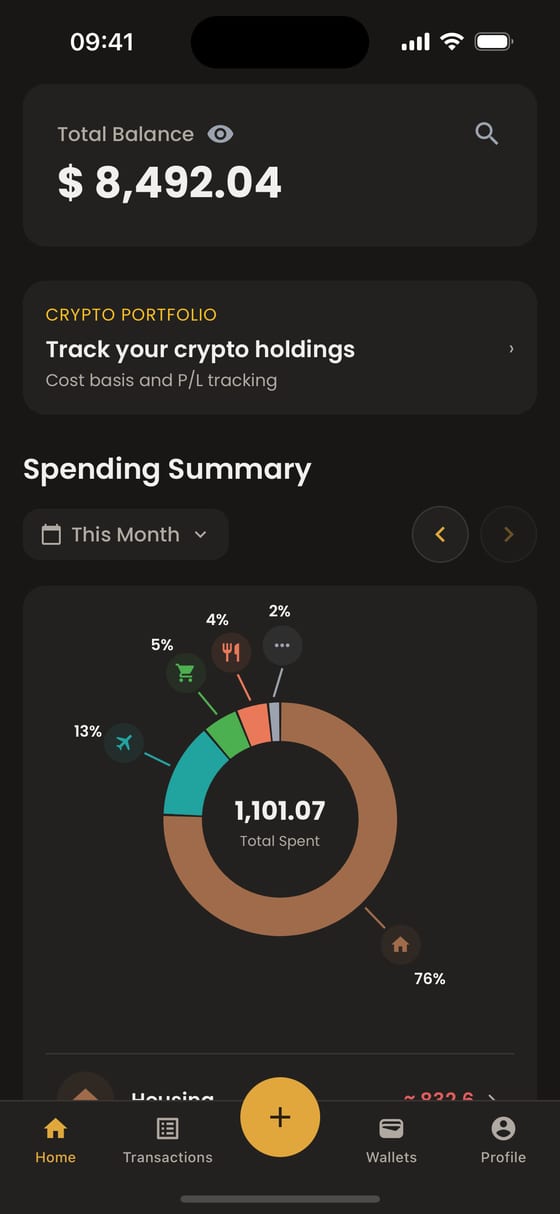
THREE WAYS IN. NONE OF THEM IS YOUR BANK.
Type it.
Amount, category, done. The keypad has a calculator built in, and Moongen suggests a category.
Scan it.
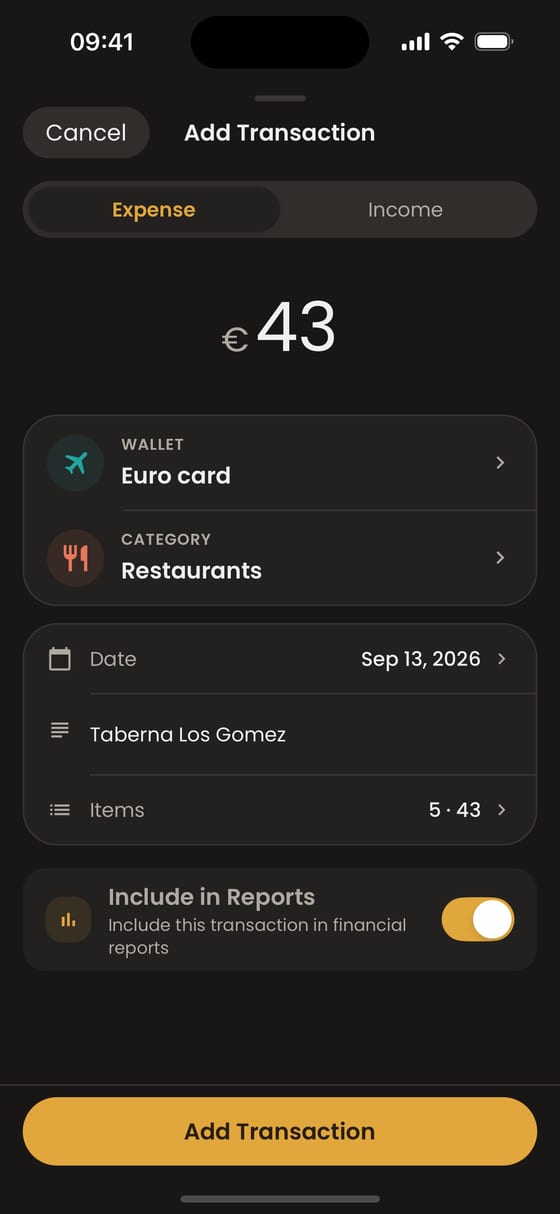
Photograph a receipt. Moongen reads it into a draft you check before saving.
Ask it.
Tell the assistant what you spent. It drafts the entry for you to confirm.
EACH WALLET, ITS OWN CURRENCY
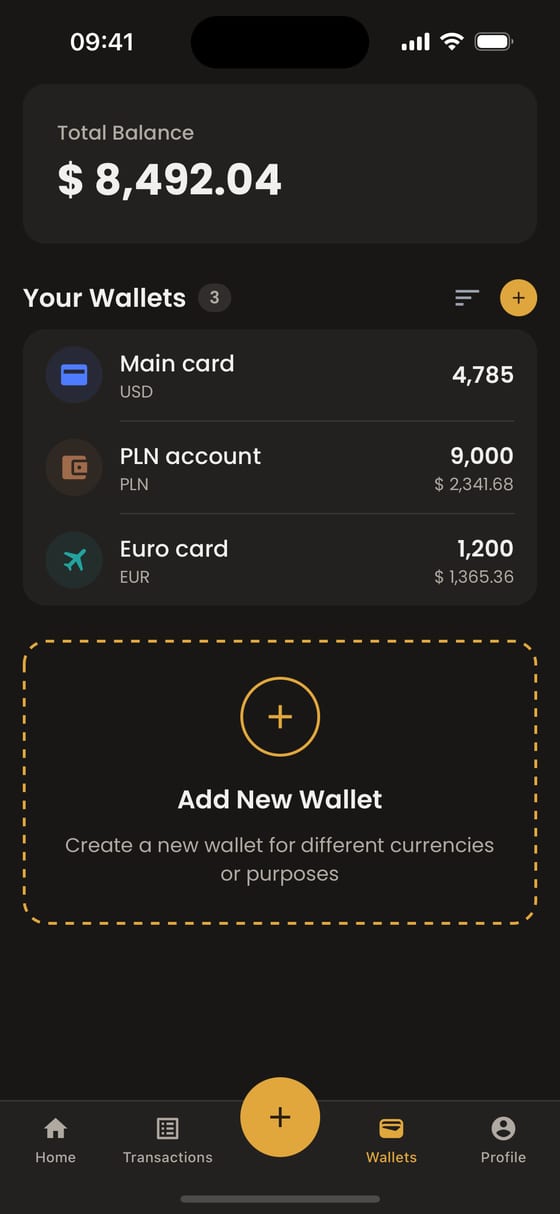
Dollars, złoty, euros. Held in one view.
Give every card, cash envelope and coin wallet its own currency. Moongen keeps the native amounts as they are and shows the total in your base currency at live rates. Move money between wallets and both sides stay right, even across currencies.
$8,492.04
TOTAL · 3 WALLETS · BASE CURRENCY USD
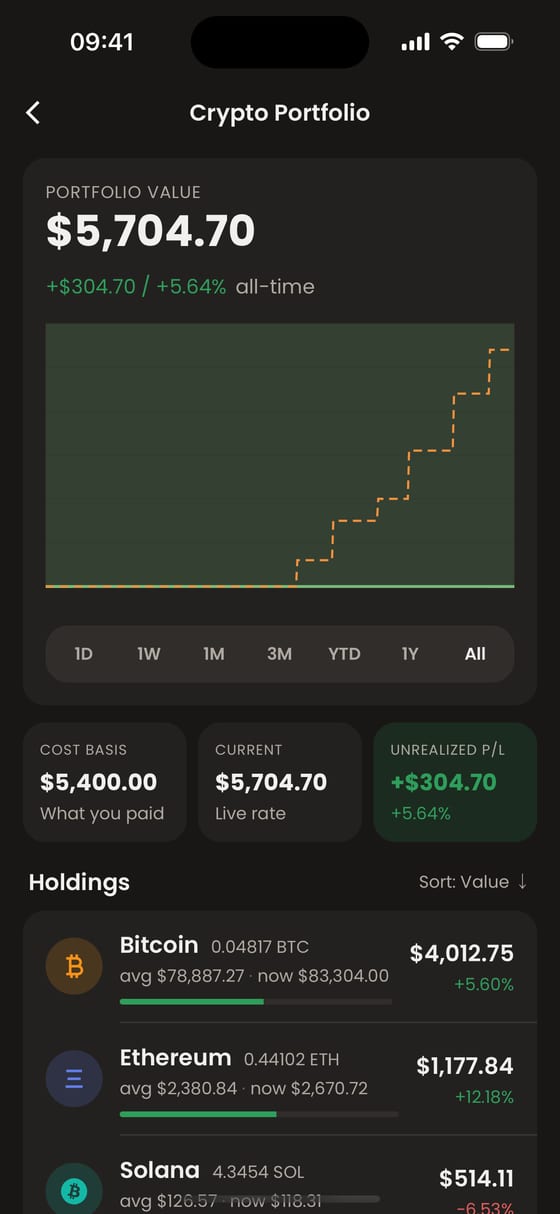
Coins sit next to cash.
Log each purchase as a lot. Moongen tracks what you hold, your average cost and unrealized gain or loss at market rates, beside the rest of your money.
BTC · ETH · SOL TRACKED BESIDE CASH · DEMO ACCOUNT
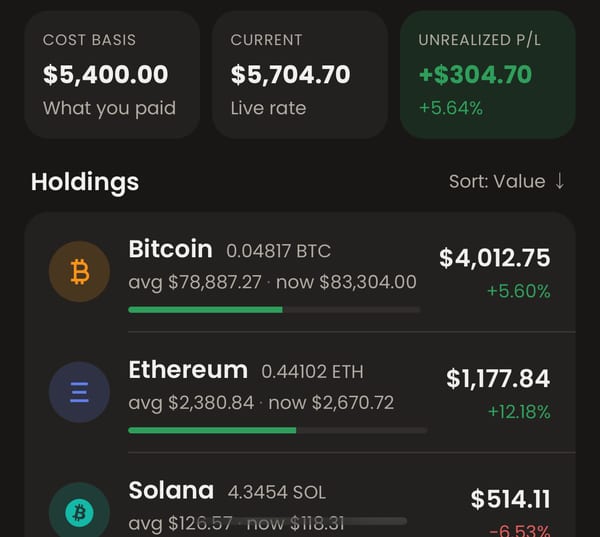
Tracking only. Moongen doesn’t connect to exchanges, hold coins, trade, or give investment advice.
TRY IT
Bring your own numbers into the light.
Add up to three wallets. Nothing you type leaves this page.

RECEIPT → DRAFT
Snap a receipt. Then you decide.
Moongen reads the merchant, the total and each line item into a draft. Check it, change a category, save. Nothing lands in your history until you do.
“Your review comes next.”
20 receipt scans a month on the Free plan.
ASSISTANT
Ask your money a plain question.
“How much did I spend this month?” “What’s my total across wallets?” The assistant answers from your own entries, and can draft an expense for you to confirm.
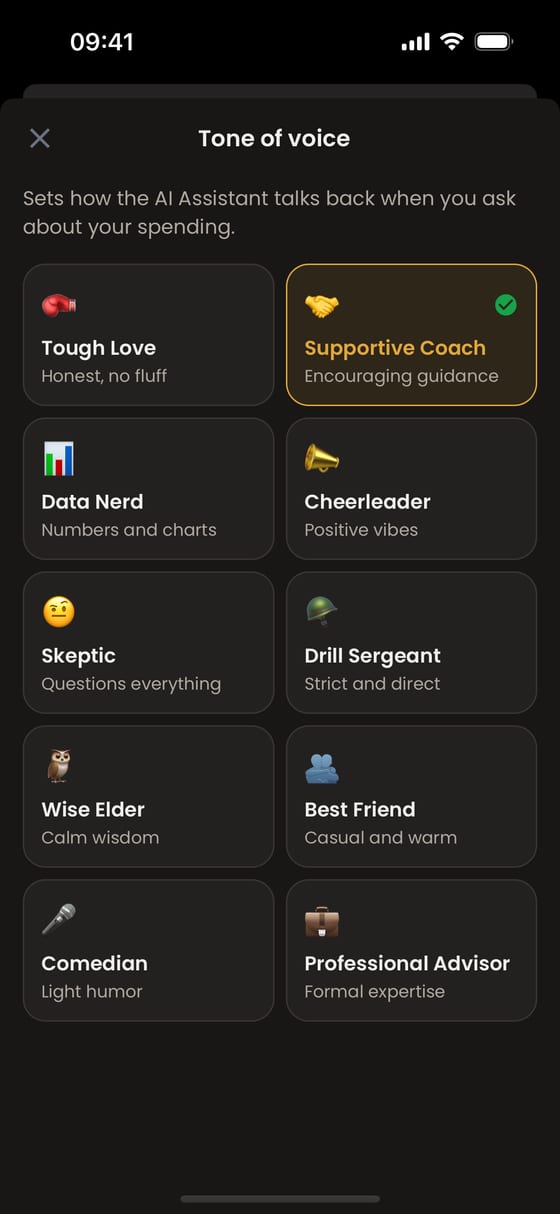
Choose how it talks to you.
Ten tones, from Supportive Coach and Data Nerd to Drill Sergeant and Comedian, or let it read your habits and reveal your Money Personality.
On the Free plan the assistant looks at your last three months, up to 30 questions an hour. How the assistant handles your data
BUDGETS · RECURRING
See the month turn before it ends.
Budgets that speak early.
Set a limit for a category or a wallet. Moongen shows on track, close, or over while there’s still time to change course.
See what’s due next.
Add rent, salary and subscriptions once. Moongen shows the next date for each.
Free plan: 1 budget, 3 recurring items.
IN ANY BROWSER
The same money, on a bigger screen.
Open Moongen in a browser on Mac, Windows, Linux or Android. Same account, same wallets. See where the month’s money flowed, and import a bank statement (CSV, Excel or PDF) when typing isn’t worth it.
CSV imports: up to 50 rows at a time on the Free plan. Some reports and What-If scenarios are part of Pro, coming later.

NOTHING TO CONNECT
Your bank login stays yours.
- No bank connection required. You decide what goes in.
- Start as a guest. No email, no account. Create one later with Apple, Google or email.
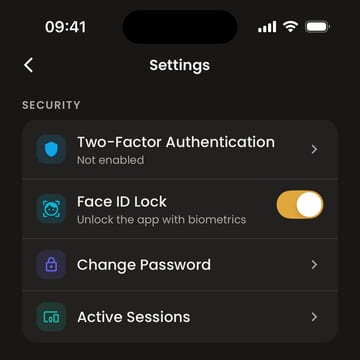
- Face ID or Touch ID lock on the app.
- Two-factor sign-in with an authenticator app and backup codes.
- See every signed-in device and sign any of them out.
- Delete your account from settings.
Free on iPhone during the beta · Start as a guest, no account needed
Free while we’re in beta.
Free includes the features and limits listed below. A Pro plan with higher limits and extra reports is coming later. Nothing is for sale today.
| Included now | Limit |
|---|---|
| Wallets | 3 |
| Currencies | 3 |
| Transactions a month | 150 |
| Budgets | 1 |
| Recurring items | 3 |
| Receipt scans a month | 20 |
| Assistant questions an hour | 30 (looks at the last 3 months) |
| History you can see | 3 months |
Remaining doubts
Is Moongen free?
Yes, during the beta. Free includes the features and limits listed on this page. A Pro plan with higher limits and extra reports is coming later; nothing is for sale today.
Do I have to connect my bank?
No. You add transactions yourself: type them, scan a receipt, or ask the assistant. Moongen doesn’t ask for bank logins.
Which currencies can I use?
Each wallet has its own currency, including major fiat currencies and popular cryptocurrencies such as Bitcoin, Ether and Solana. Totals appear in your base currency at live rates. The Free plan holds three currencies.
Does Moongen hold or trade my crypto?
No. It only tracks what you record: purchases, sales, average cost and unrealized gain or loss at market rates. It doesn’t connect to exchanges or wallets and isn’t investment advice.
What does the assistant see?
Your Moongen entries, so it can answer questions and add transactions when you ask. On the Free plan it looks at your last three months.
Can I try it without an account?
Yes. Start in guest mode and create an account later with Apple, Google or email.
Is there an Android app?
Not yet. On Android or a computer, use Moongen in the browser at moongen.app.

Tonight, see all of it.
Add your wallets, log today’s coffee, and go to sleep knowing the number.
Free on iPhone during the beta · Start as a guest, no account needed
Free in any browser · guest mode
or open the web app in your browser →